WordPress updates are always exciting because they bring new features, performance improvements, and security enhancements. However, every major WordPress release also requires careful testing because thousands of websites depend on different themes and plugins.
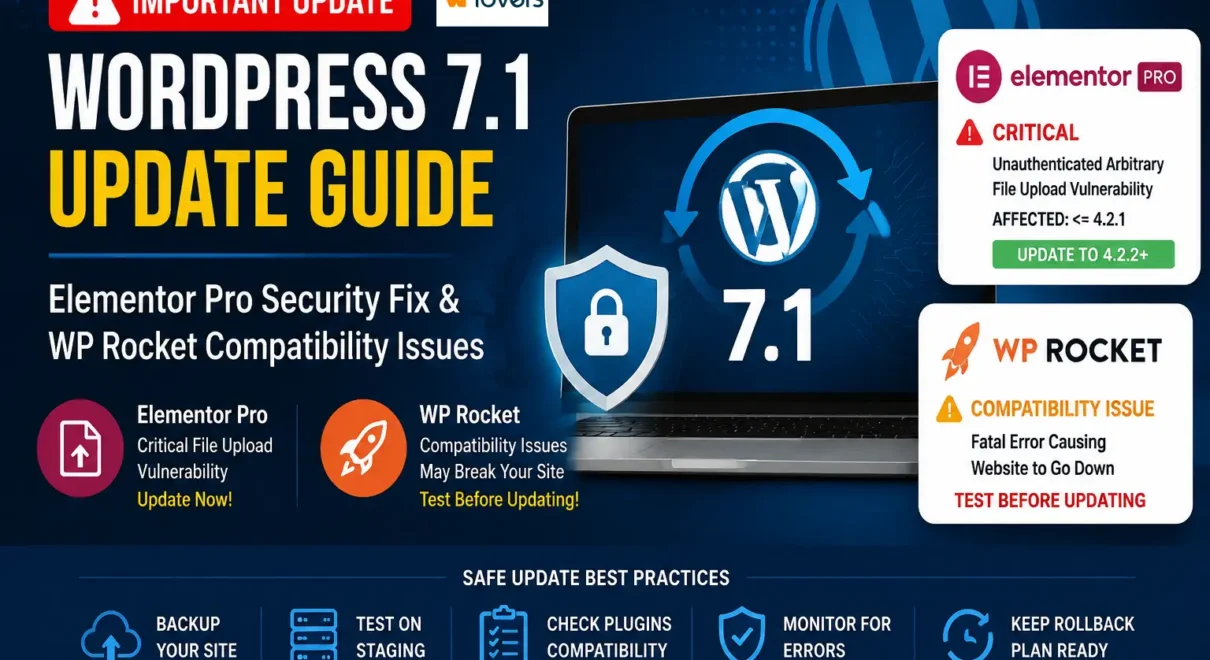
After updating to WordPress 7.1, website owners and developers should pay special attention to plugin compatibility, especially when using popular plugins like Elementor Pro and WP Rocket.
A simple update without testing can sometimes result in security risks or unexpected website downtime.
In this article, we will discuss two important checks you should perform after updating WordPress 7.1.
1. Keep Elementor Pro Updated: Important Security Fix Required
If your website uses Elementor Pro, updating to the latest version should be a priority.
Older versions of Elementor Pro (versions <= 4.2.1) are affected by a security vulnerability:
Unauthenticated Arbitrary File Upload via Upload Field Array Validation Bypass
This type of vulnerability can potentially allow unauthorized users to upload files without proper authentication checks.
The vulnerability is tracked as: – https://www.wordfence.com/threat-intel/vulnerabilities/wordpress-plugins/elementor-pro/elementor-pro-421-unauthenticated-arbitrary-file-upload-via-upload-field-array-validation-bypass
- CVE: CVE-2026-32475
- Severity: Critical
- CVSS Score: 9.8
- Type: Unrestricted File Upload of Dangerous File Type
For websites using Elementor forms, custom uploads, or user-generated content features, this could become a serious security concern.
What Should You Do?
If you are using Elementor Pro:
✅ Update Elementor Pro to the latest stable version
✅ Test Elementor forms after updating
✅ Check custom widgets and templates
✅ Review website security logs if you notice suspicious activity
Keeping plugins updated is one of the easiest ways to protect your WordPress website.
2. WP Rocket Users: Test Before Updating
WP Rocket is one of the most popular WordPress caching plugins, helping websites improve speed and Core Web Vitals performance.
However, after WordPress updates or plugin updates, compatibility issues can sometimes occur.
Some websites using WP Rocket have reported fatal PHP errors related to the Cloudflare integration.
Example error:
Your Site is Experiencing a Technical Issue

Plugin: WP Rocket

Error:
Uncaught TypeError: substr(): Argument #1 ($string) must be of type string, int given

File:
wp-content/plugins/wp-rocket/inc/ThirdParty/Plugins/CDN/Cloudflare.php

Line:
562
When this happens, WordPress automatically sends a recovery email:
“Your Site is Experiencing a Technical Issue”
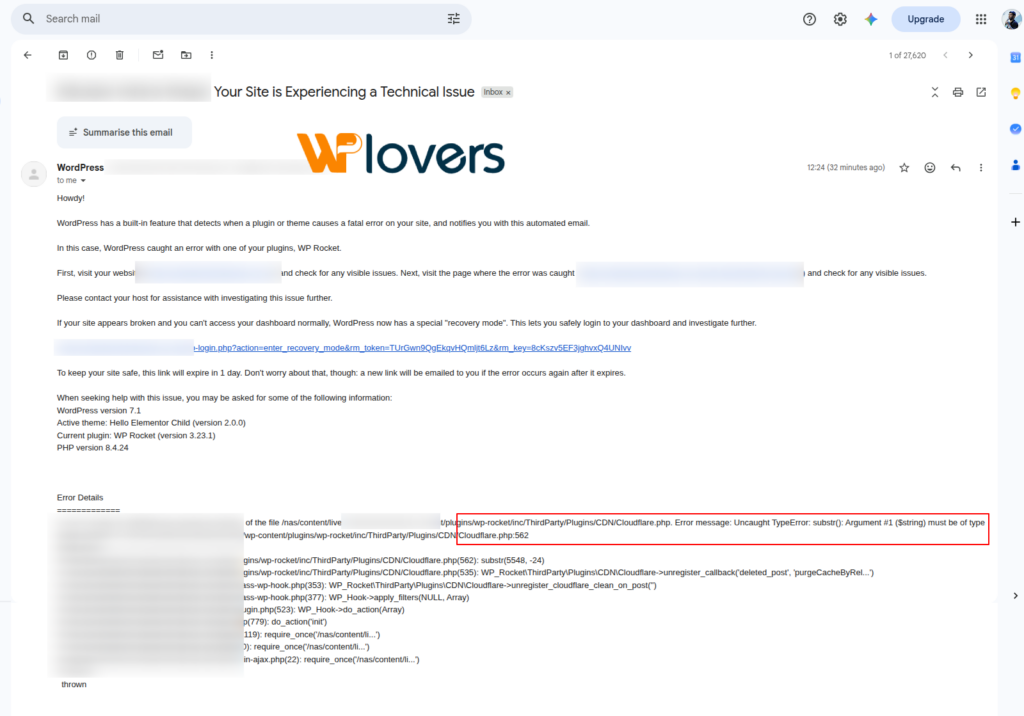
The website may enter recovery mode or specific functionality may stop working.
How to Safely Handle WordPress Updates
Before updating WordPress core or important plugins, follow these best practices:
1. Create a Full Backup
Always keep a backup of:
- WordPress files
- Database
- Uploads folder
- Plugin and theme settings
A backup gives you the ability to restore quickly if something goes wrong.
2. Test Updates on a Staging Website
Never test major updates directly on a production website.
A staging environment allows you to check:
- Homepage
- Contact forms
- Login functionality
- WooCommerce checkout
- Payment gateways
- Third-party integrations
- Custom code
3. Update Plugins Carefully
Avoid clicking “Update All” on a live website.
Instead:
- Update one plugin at a time
- Check website functionality
- Review error logs
- Continue with the next update
This makes it easier to identify which plugin caused an issue.
WordPress Maintenance Is More Than Just Updating
Many website owners think maintenance means only installing updates.
A proper WordPress maintenance process includes:
✅ Security monitoring
✅ Plugin compatibility checks
✅ Performance monitoring
✅ Backup verification
✅ Error log reviews
✅ Database optimization
Regular monitoring helps prevent unexpected downtime.
Final Thoughts
WordPress 7.1 brings improvements and new possibilities, but responsible updates are important for maintaining a stable website.
If you use plugins like Elementor Pro or WP Rocket, make sure you test compatibility before applying updates on a live website.
A few minutes of testing can save hours of troubleshooting and prevent potential website downtime.
Stay updated, stay secure, and always test before pushing changes to production.
About WP Lovers
WP Lovers shares practical WordPress tips, development insights, security updates, and best practices to help WordPress users, developers, and agencies build better websites.