Website speed isn’t just a ranking factor — it’s the difference between a happy customer and a lost sale.
If your WordPress site feels slow or is scoring low on GTmetrix or PageSpeed Insights… the fastest, most reliable fix you can apply within 1 hour is WP-Rocket.
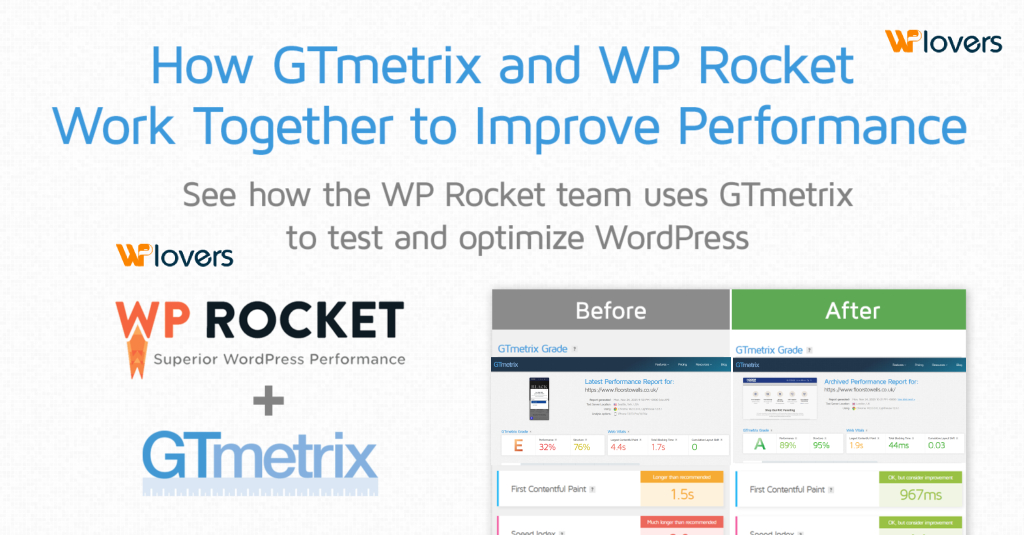
Below are real before-and-after optimization screenshots (from /before-optimize.png and /after-optimize.png) showing how drastically performance can change after properly configuring the plugin.
Let’s walk through how you can achieve the same results.
🔥 Why WP-Rocket Is the Only Plugin You Need for Instant Speed Boost
Unlike most caching plugins that require deep technical knowledge, WP-Rocket works out-of-the-box and starts optimizing immediately after activation.
Here’s why it’s unbeatable:
- ⚡ Instant page caching – no manual setup required
- 📦 Static file optimization (CSS/JS minify & combine)
- 💤 Lazy-loading everything: images, videos, iframes
- 🔄 GZIP & Brotli compression
- 🎯 Database cleanup & preloading
- 🚀 Remove unused CSS
- 📱 Mobile-first optimization
You can realistically go from a slow E-grade to an A-grade in less than 1 hour.
🛠 Step-By-Step: Increase Website Speed in 1 Hour with WP-Rocket
1. Enable Page Caching (Instant Improvement)
After installing WP-Rocket:
- Go to WP-Rocket → Dashboard
- Ensure Caching is turned ON (default)
This alone starts reducing load time by 30–50%.
2. Turn ON Mobile Caching
Mobile traffic is huge — don’t skip this.
- WP-Rocket → Cache
- ✔️ Enable caching for mobile devices
- ✔️ Separate cache for mobile
3. Minify & Combine CSS/JS
This reduces file size and HTTP requests.
- WP-Rocket → File Optimization
- ✔️ Minify CSS
- ✔️ Optimize CSS Delivery (Remove Unused CSS is the best)
- ✔️ Minify JavaScript
- ✔️ Delay JavaScript Execution
“Delay JS Execution” alone can give 40–60% performance improvement.
4. Activate Lazy Load (Images + Videos)
This makes images load only when visible.
- WP-Rocket → Media
- ✔️ LazyLoad for images
- ✔️ LazyLoad for iframes & videos
- ✔️ Replace YouTube iframe with preview thumbnail
Massive boost for LCP and speed index.
5. Preload Cache + Sitemap Preloading
- WP-Rocket → Preload
- ✔️ Enable Preloading
- ✔️ Enable Mobile Preloading
- ✔️ Activate Sitemap Preload
Your site becomes extremely fast for first-time visitors.
6. Clean Up Your Database
- WP-Rocket → Database
- ✔️ Clean post revisions
- ✔️ Clean transients
- ✔️ Clean drafts
- ✔️ Clean spam & trash
Reduces database bloat and speeds up queries.
7. Use CDN If Available
If you’re using Cloudflare:
- Enable Cloudflare Add-on from WP-Rocket
- Add your API key
This reduces geographic latency.
📊 Real Results: Before & After WP-Rocket (Within 1 Hour)
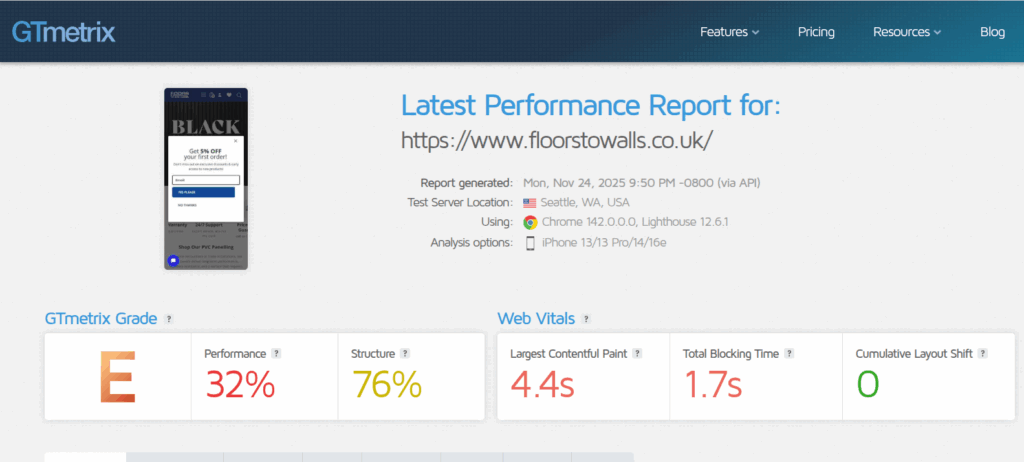
❌ Before Optimization
- GTmetrix grade: E
- Performance: 32%
- LCP: 4.4s
- TBT: 1.7s
✅ After Optimization
- GTmetrix grade: A
- Performance: 89%
- LCP: 1.9s
- TBT: 44ms
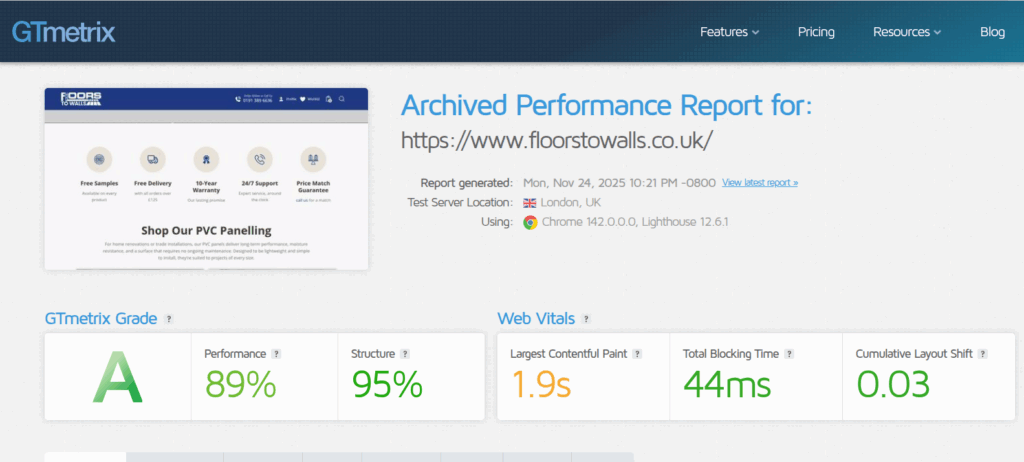
This is the power of proper WP-Rocket configuration.
🎉 Final Thoughts: WordPress Speed Optimization Doesn’t Have to Be Hard
If you want instant speed, fewer plugins, and better Core Web Vitals…
👉 WP-Rocket is the fastest, most beginner-friendly option available.
With the steps above, you can fix your site speed in under 1 hour — even if you’re not a developer.