A business website is often the first impression customers have of your brand. While WordPress powers millions of websites globally because of its flexibility, scalability, and user-friendliness, many businesses still make critical mistakes during WordPress website development that hurt performance, SEO rankings, user experience, and conversions.
Whether you are a startup, small business, or enterprise, avoiding these mistakes can save time, money, and future redevelopment costs. From choosing the wrong themes to ignoring website speed and security, even small errors can negatively impact your online presence.
In this guide, we will explore the most common WordPress website development mistakes and how businesses can avoid them to build a fast, secure, SEO-friendly, and scalable website in 2026.
Why Proper WordPress Website Development Matters?
A professionally developed WordPress website does more than just look attractive. It helps businesses:
- Improve search engine visibility
- Increase conversions and leads
- Enhance website performance
- Strengthen brand credibility
- Provide better user experience
- Support long-term scalability
Poor development practices can lead to slow loading times, security vulnerabilities, broken functionality, and lower rankings on search engines like Google.
Common WordPress Website Development Mistakes to Avoid
1) Choosing the Wrong WordPress Theme
One of the biggest mistakes businesses make is selecting a theme based only on appearance. Many themes contain unnecessary code, excessive animations, and bloated features that slow down websites.
Problems Caused by Poor Themes
- Slow website speed
- Poor mobile responsiveness
- SEO issues
- Plugin conflicts
- Difficult customization
Best Practice
Choose lightweight, mobile-friendly, SEO-optimized themes that are regularly updated and compatible with major plugins.
Custom WordPress development is often a better option for businesses that need scalability and advanced functionality.
2) Ignoring Mobile Optimization
More than half of web traffic now comes from mobile devices. A website that does not work properly on smartphones can lose significant traffic and conversions.
Common Mobile Issues
- Text too small to read
- Broken layouts
- Slow loading speed
- Unclickable buttons
- Poor navigation
Best Practice
Use responsive WordPress development techniques to ensure your website works perfectly across all devices and screen sizes.
Mobile-first development is now essential for SEO and user experience.
3) Using Too Many Plugins
Plugins are one of WordPress’s greatest strengths, but excessive plugin usage can create performance and security issues.
Risks of Too Many Plugins
Slow website speed
Increased security vulnerabilities
Plugin conflicts
Higher maintenance requirements
Best Practice
Only install essential plugins from trusted developers. Regularly audit and remove unused or outdated plugins.
Businesses should focus on quality rather than quantity.
4) Neglecting Website Speed Optimization
Website speed directly impacts SEO rankings, bounce rates, and conversions. Users expect websites to load within seconds.
Common Causes of Slow Websites
- Large image files
- Poor hosting
- Heavy themes
- Excessive scripts
- Unoptimized databases
Best Practice
Optimize images, enable caching, use CDN services, and choose high-performance hosting for better speed.
Fast-loading websites improve both user experience and search visibility.
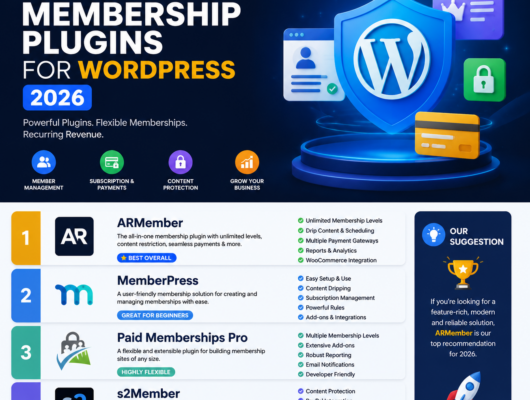
Also Read: Top Membership Plugins for WordPress: Build Your Exclusive Community
5) Poor SEO Structure
Many businesses launch WordPress websites without proper SEO foundations, making it difficult to rank on search engines.
Common SEO Mistakes
- Missing meta titles and descriptions
- Poor heading structure
- Duplicate content
- Missing alt tags
- Broken internal linking
Best Practice
Implement technical SEO during development, including:
- SEO-friendly URLs
- Structured heading hierarchy
- Schema markup
- Optimized metadata
- XML sitemap setup
SEO should never be treated as an afterthought.
6) Ignoring Website Security
Cybersecurity threats continue to grow, and WordPress websites are common targets if not properly secured.
Common Security Mistakes
- Weak passwords
- Outdated plugins
- No SSL certificate
- No firewall protection
- Lack of backups
Best Practice
Use strong authentication methods, enable SSL, update plugins regularly, and implement security monitoring tools.
Regular backups are essential for disaster recovery.
7) Not Planning Website Scalability
Many businesses develop websites only for current needs without considering future growth.
Scalability Problems
- Difficulty adding new features
- Website crashes during traffic spikes
- Poor performance
- Expensive redevelopment later
Best Practice
Build scalable WordPress architecture that supports future expansion, integrations, and traffic growth.
Businesses planning long-term digital growth should prioritize scalable development from the beginning.
8) Poor Navigation and User Experience
A confusing website structure can frustrate visitors and reduce engagement.
Signs of Poor UX
- Complex navigation menus
- Too many popups
- Inconsistent design
- Difficult checkout process
- Hard-to-find information
Best Practice
Focus on simple navigation, clean layouts, clear calls-to-action, and intuitive user journeys.
User experience directly impacts lead generation and conversions.
9) Forgetting Regular Maintenance
Launching a website is only the beginning. Many businesses fail to maintain their WordPress websites properly.
Maintenance Issues
- Broken pages
- Security vulnerabilities
- Outdated software
- Performance decline
Best Practice
Perform regular updates, backups, security scans, and technical audits.
Ongoing website maintenance helps ensure stability and long-term performance.
Read More: 5 Best Lightweight WordPress SEO Plugins in 2026 – Rank Bix SEO
10) Choosing Cheap Hosting Services
Hosting plays a major role in website performance, uptime, and security.
Problems with Low-Quality Hosting
- Frequent downtime
- Slow speed
- Poor support
- Security risks
Best Practice
Choose reliable managed WordPress hosting providers that offer scalability, speed optimization, backups, and strong customer support.
Good hosting improves SEO and overall website reliability.
How Professional WordPress Development Helps Businesses?
Professional WordPress website development helps businesses create websites that are:
- Fast and responsive
- SEO-friendly
- Secure
- Scalable
- Conversion-focused
Experienced developers understand how to balance design, functionality, SEO, and performance to build websites that support business growth.
Future Trends in WordPress Website Development
Businesses should also stay updated with emerging WordPress trends, including:
- AI-powered website personalization
- Headless WordPress architecture
- Voice search optimization
- Core Web Vitals optimization
- Advanced security frameworks
- Accessibility-focused development
Modern WordPress websites must adapt to changing search engine algorithms and user expectations.
Conclusion
WordPress remains one of the most powerful website development platforms for businesses, but avoiding common mistakes is essential for long-term success.
From website speed and SEO to mobile optimization and security, every aspect of WordPress website development impacts user experience and business performance.
Businesses that invest in professional WordPress development practices can create scalable, secure, and high-performing websites that generate better visibility, traffic, and conversions.
A well-developed WordPress website is not just a digital asset it is a long-term investment in business growth.